
/ˈmɛk.ə wɒtʃ/ Say it fast.
Mecha Watch.Make a watch.
Then keep it alive.
Design a mechanical watch part by part on your iPhone — case, dial, hands, movement, your name on the dial. Then wind the crown, or walk, to keep it ticking. Forget it, and it stops.
For iPhone and Apple Watch · Free to start · No subscription, ads or account
Mecha Watch
Short for mechanical. Springs, wheels and a balance that beats 5, 6 or 8 times a second — drawn live on your screen.
Make a watch
Say the name out loud and you've already described the app. You pick every part. You put your name on the dial.
Keep it alive
A mechanical watch runs on the energy you give it. So does yours. Wind it, wear it, and it keeps going because of you.
From empty bench to ticking watch
Every choice comes with a short "Did you know?" note, so you learn how real watches are made while you make yours.
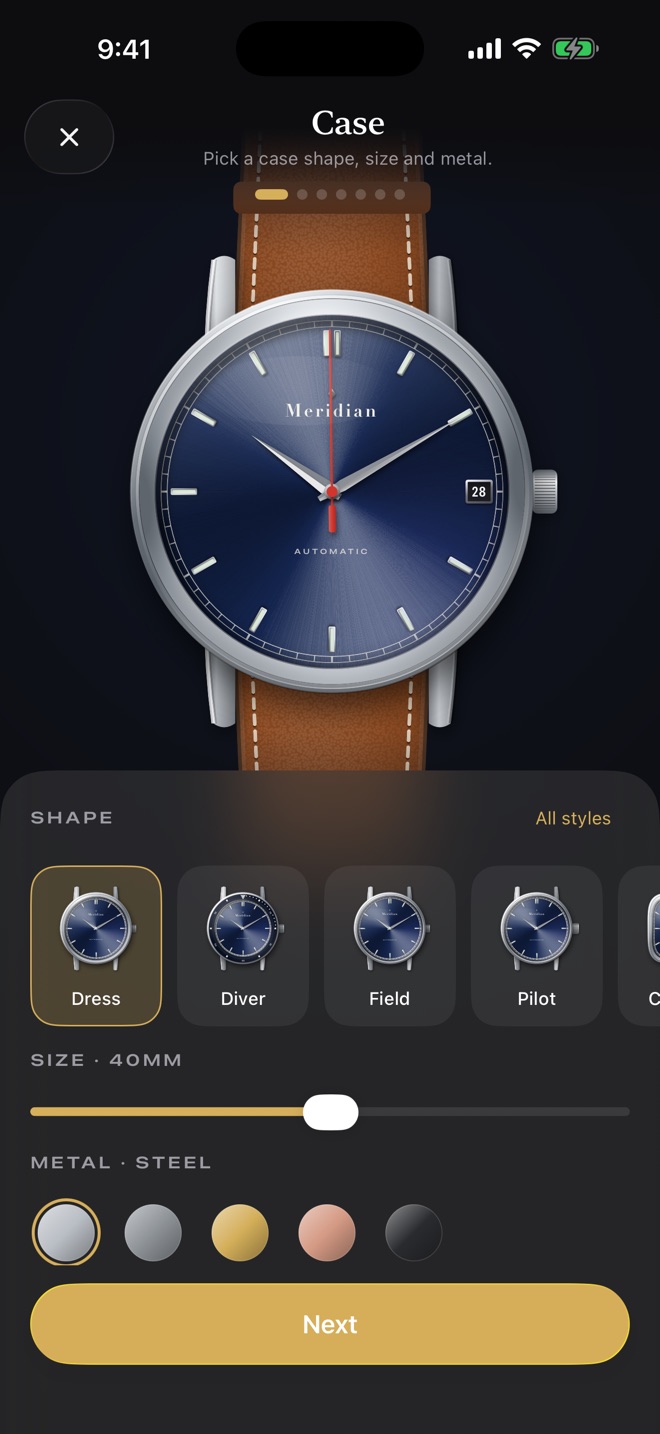
Pick a case
Dress, Diver, Field, Pilot, Tank, Tonneau, Cushion, Octagon, Oval, Petite or Jewel — in steel, titanium, gold, rose gold or black PVD.
Design the dial
Sunburst, linen, enamel, guilloché, fumé or mother of pearl, in 12 colours, with batons, Roman or Arabic numerals.
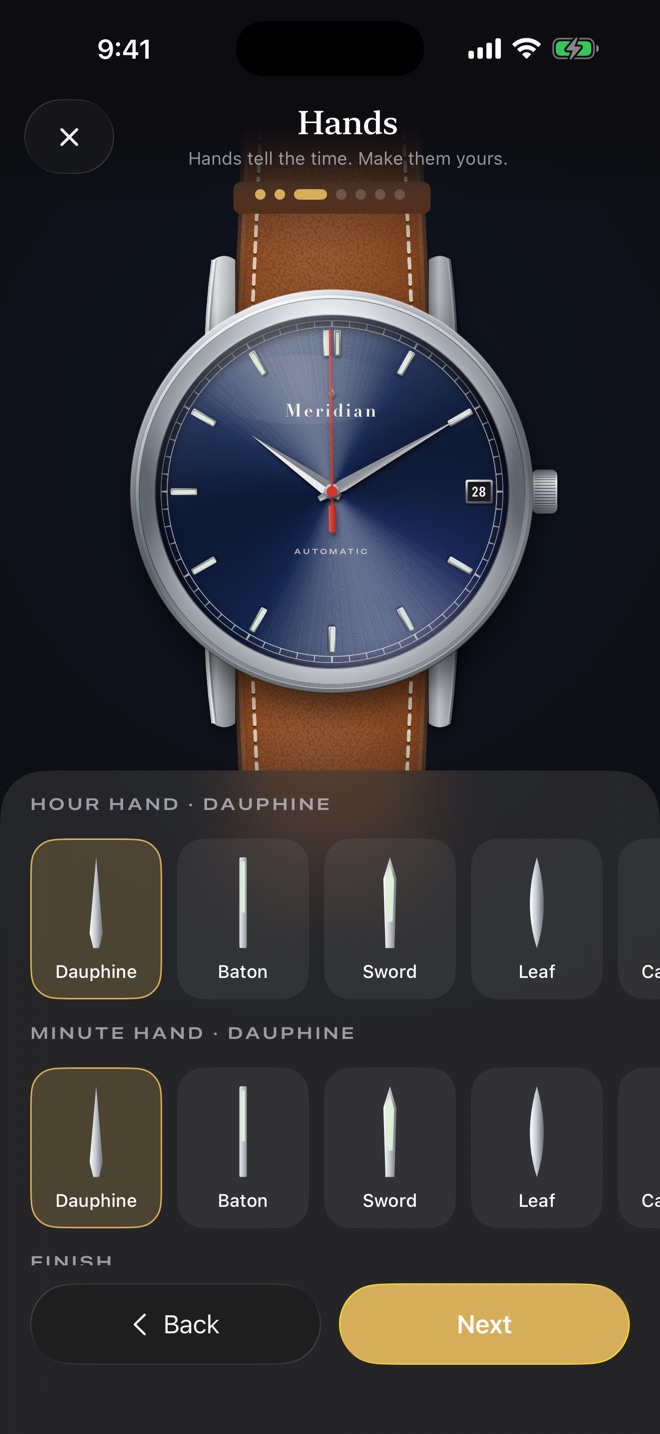
Choose hands
18 styles, from Dauphine and Breguet to Syringe and Snowflake. Polished, blued, gold or black. Pick your lume.
Fit a movement
Hand-wound, automatic, vintage slow-beat or an 8-day manual — each ticks at its real beat rate. Add a moon phase or GMT.
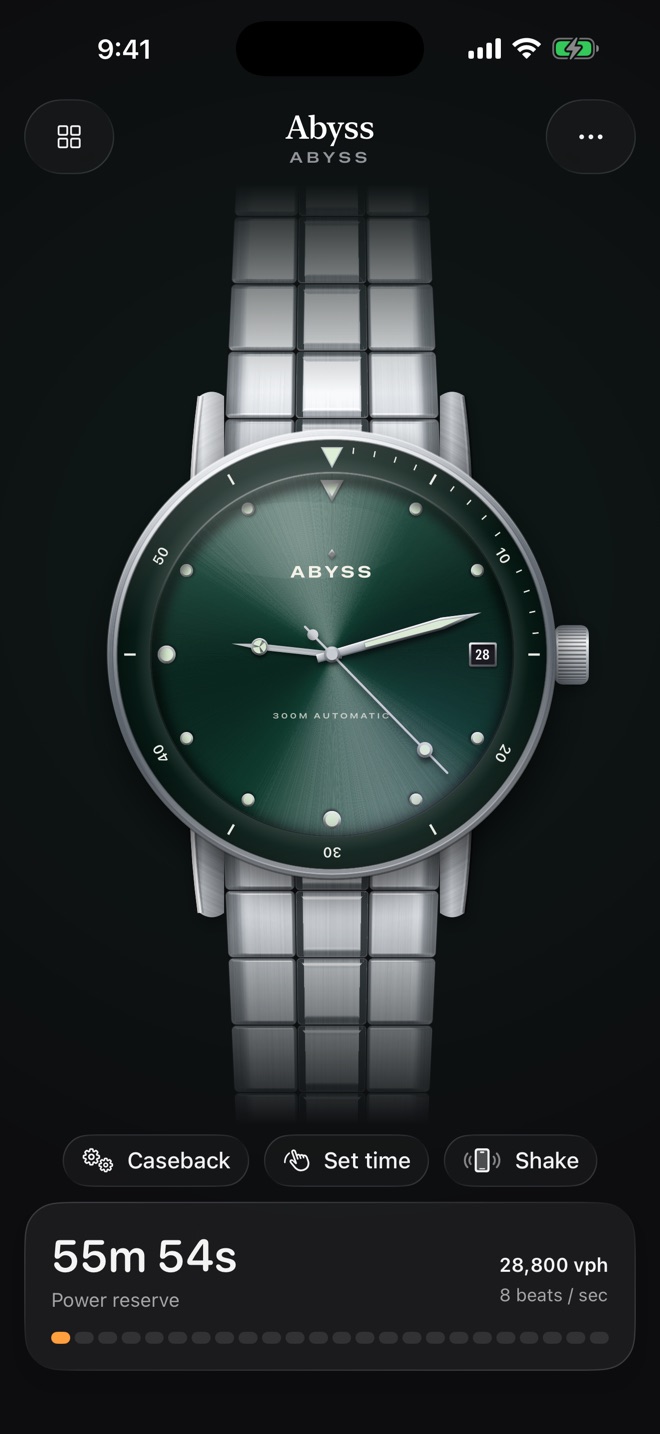
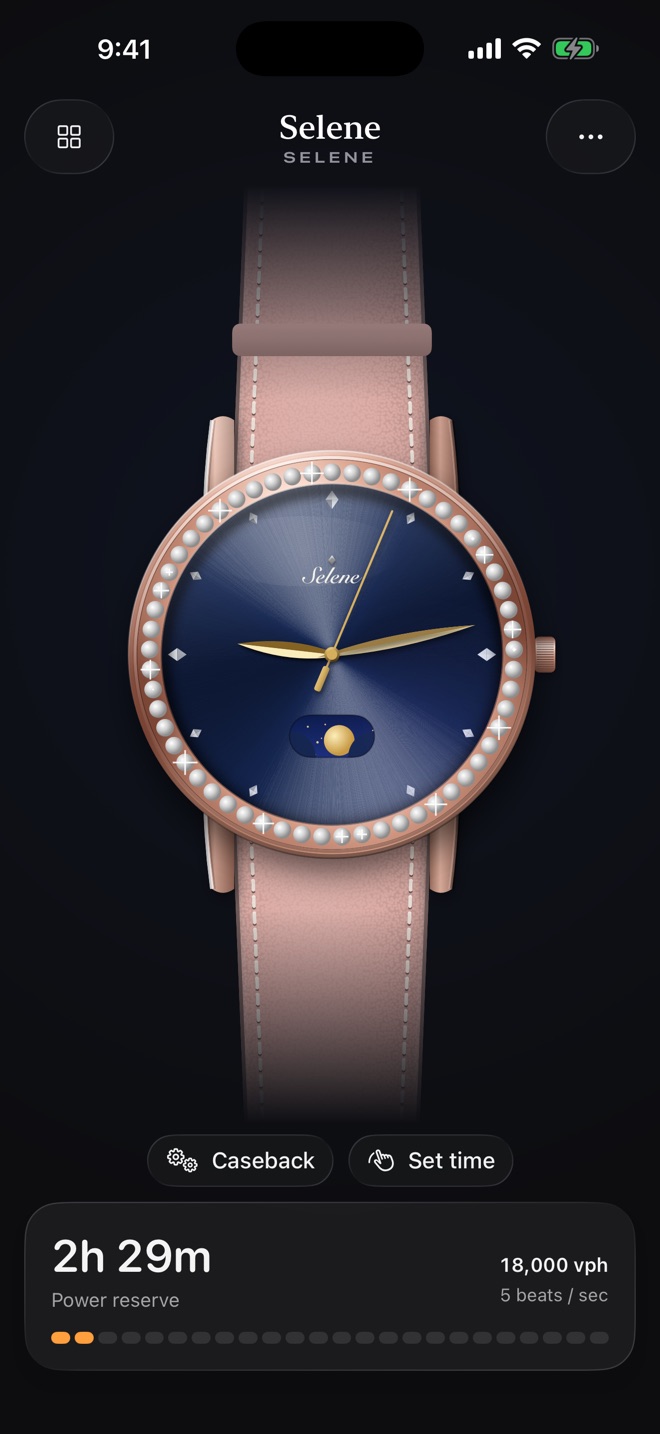
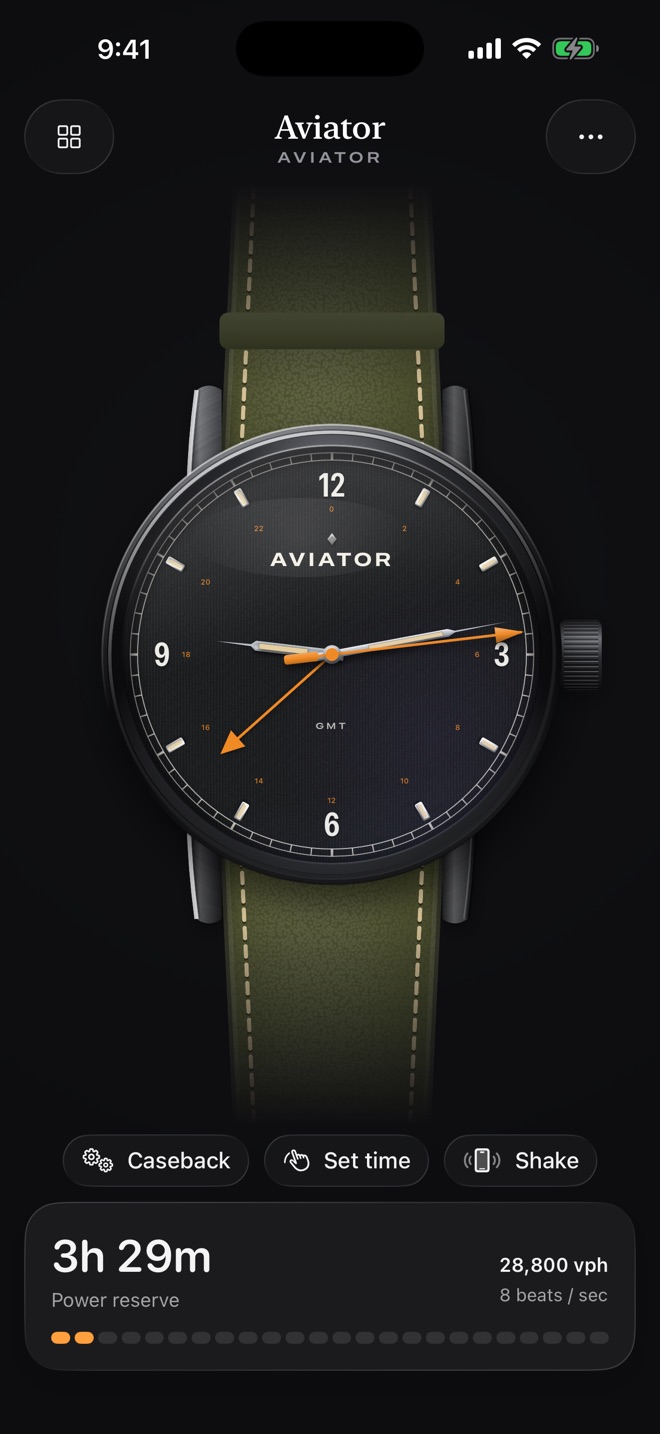
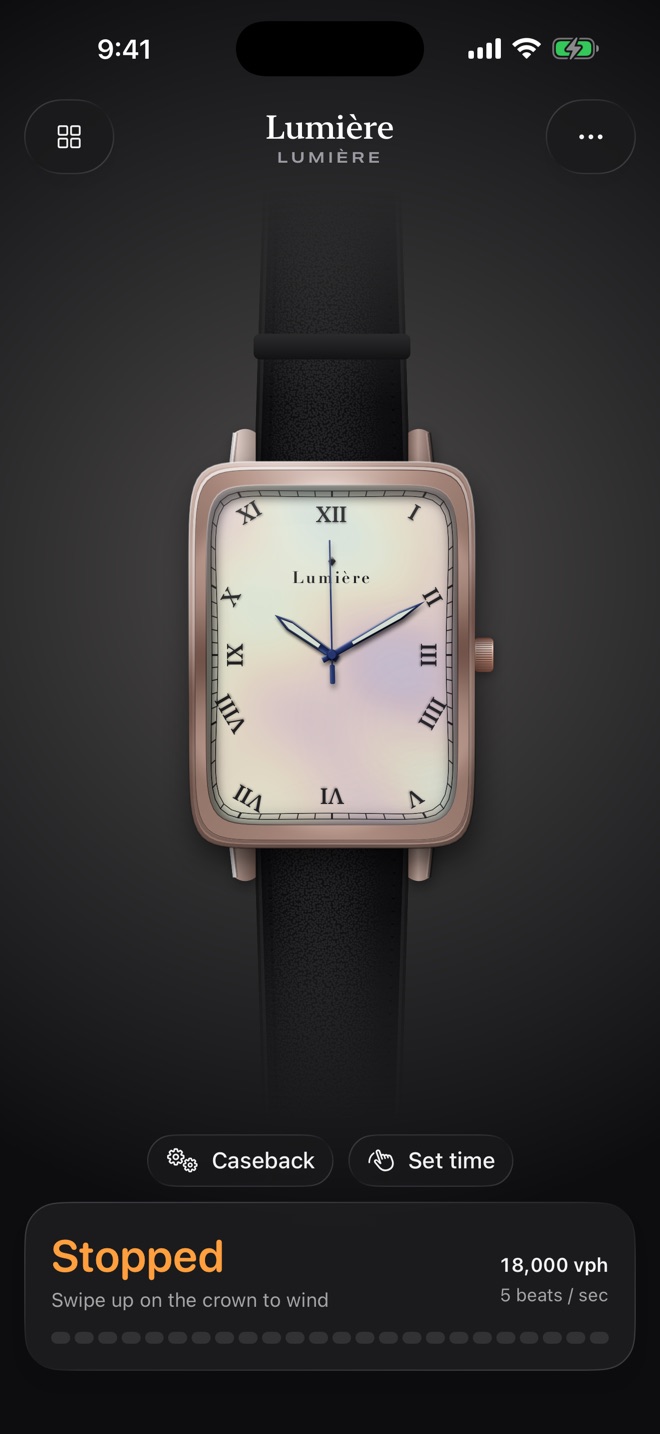
Your name on the dial
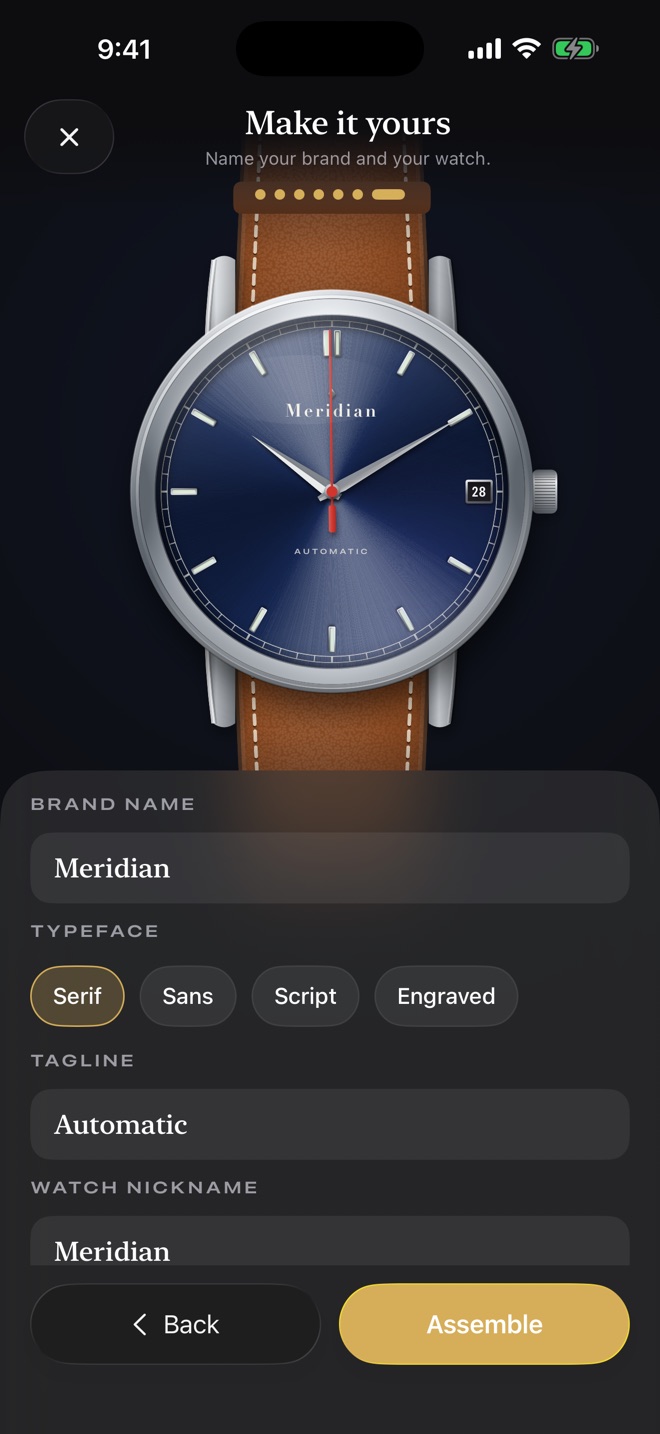
Most watch brands are named after their founders. Now you're one.
- Set a brand name, a tagline and a typeface — serif, sans, script or engraved
- Watch every part drop into place in the assembly animation
- Share it as a card or QR code, and friends can build their own copy
Wind it. Wear it. Or watch it stop.
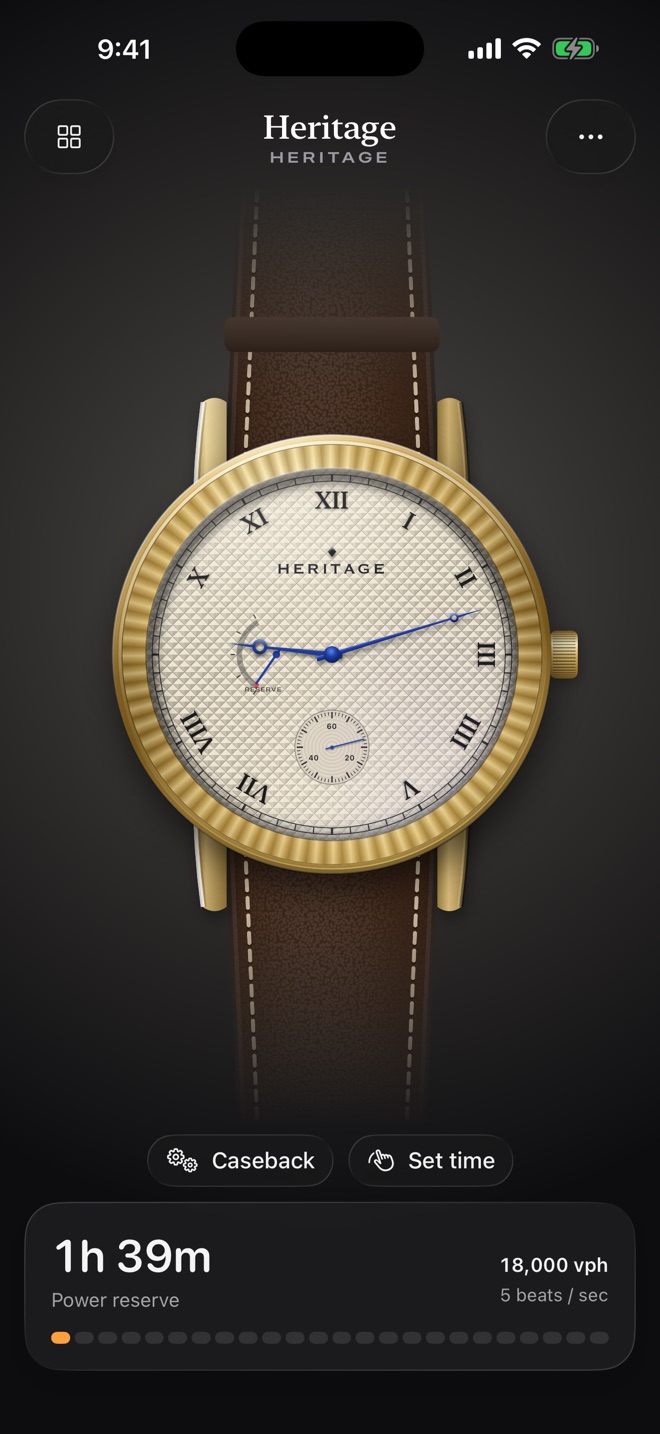
The seconds hand beats at the movement's real rate. The mainspring runs down. The watch needs you.
- Hand-wound: swipe the crown and feel a haptic click at every detent
- Automatic: your steps wind it, just like wearing the real thing
- Let the power reserve run out and it stops. Wind it back to life — or turn on Purist mode and set the time yourself
- A reminder before it runs down, if you want one
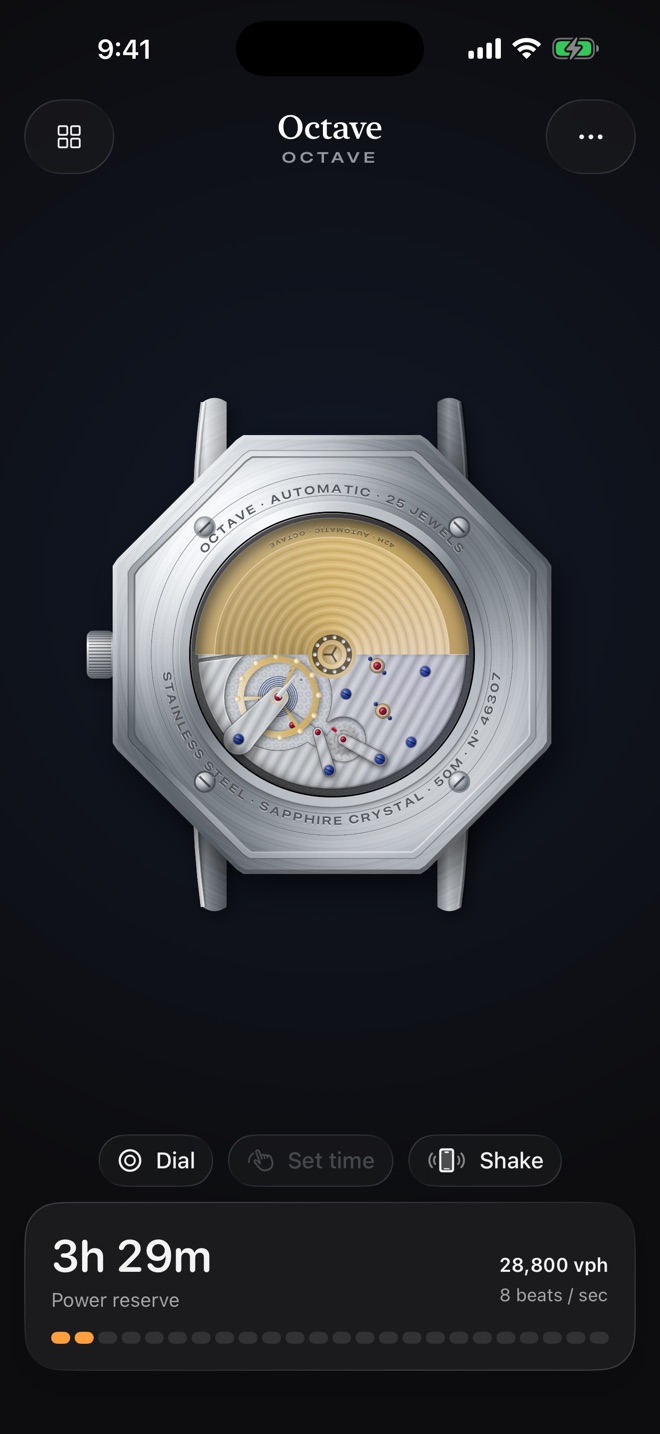
Tilt it. Flip it over.
Real-time metal: polished steel and gold catch the light as you tilt your phone.
- Flip the watch to see the movement beat through the caseback
- Sunburst dials flash, guilloché glints, mother of pearl shimmers
- Pull the crown to set the time — the seconds hand stops, just like a hacking movement
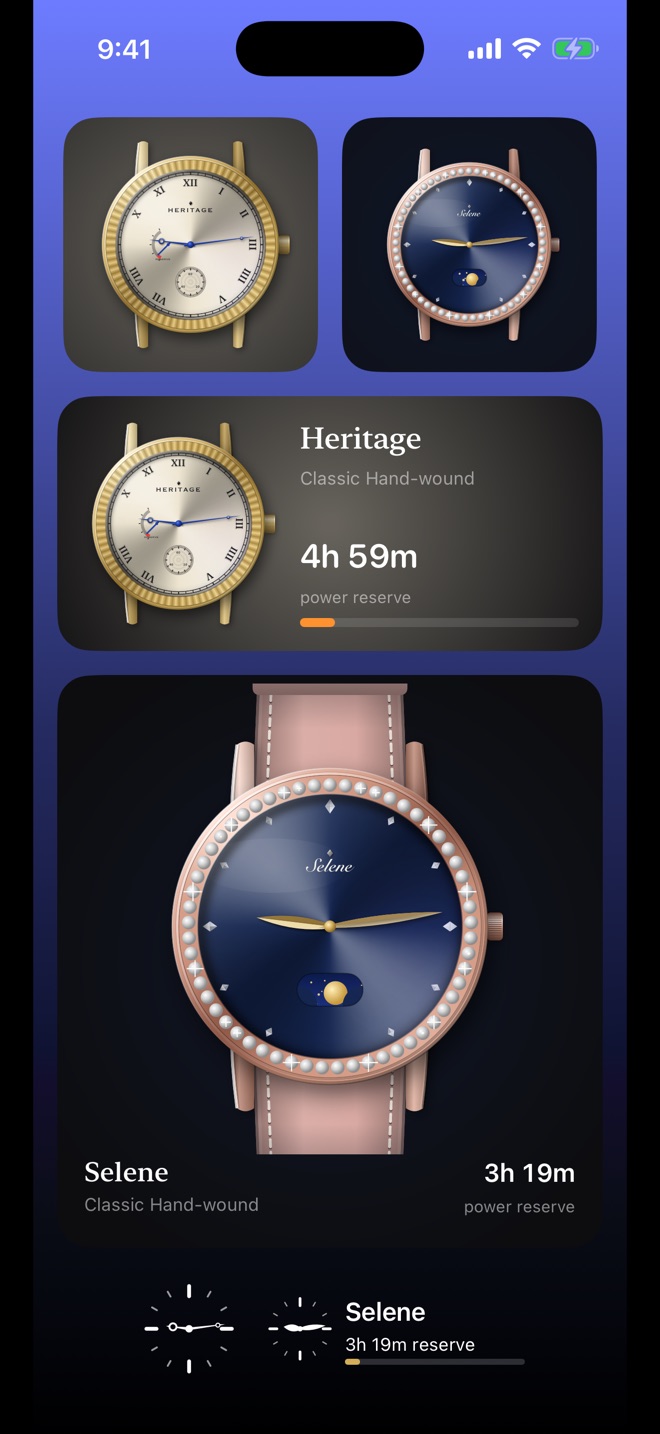
Wind it with the Digital Crown
The Apple Watch app puts your watch on your wrist. Turn the Digital Crown to wind; automatics wind as you move.
- Home Screen and Lock Screen widgets that tick along with your watch
- Apple Watch complications for your favourite watch face
- iPhone and Apple Watch share one watch box and one power reserve
Free to start. No subscription.
Free
Build and wear two watches
- Dress, Diver, Field, Petite, Oval and Tank cases
- Steel and titanium
- Sunburst, linen and enamel dials in every colour
- All 18 hand styles, every index, strap and lume
- Classic Hand-wound and Everyday Automatic movements
- Date, small seconds and power reserve
Mecha Atelier
One-time unlock · Family Sharing
- Pilot, Tonneau, Cushion, Octagon and Jewel cases
- Yellow gold, rose gold and black PVD; gem-set bezels
- Guilloché, mother-of-pearl and fumé dials
- Vintage Slow-beat and 8-Day Manual movements
- Day-date, moon phase and GMT
- An unlimited watch box
No ads. No account. No tracking. Your watches live on your devices.
Learn to make a watch
Guides to how mechanical watches work and how to design one you'd actually wear.
Frequently asked
What is Mecha Watch?
An iPhone and Apple Watch app that lets you design your own mechanical watch — case, dial, hands, movement and complications — and then keep it running by winding the crown or walking. If you forget it, it stops, just like a real mechanical watch.
Why is it called Mecha Watch?
It's a mechanical watch you make yourself. Say "Mecha Watch" quickly and it sounds like "make a watch" — which is exactly what you do in the app.
Is it an Apple Watch face?
No. Apple doesn't allow third-party watch faces. Mecha Watch is an Apple Watch app, plus complications you can add to the watch face you already use.
How does winding work?
On iPhone you swipe the crown, with a haptic click at each detent. On Apple Watch you turn the Digital Crown. Automatic watches also wind from your steps and movement.
Is it free?
Yes, you can build and wear two watches for free. The one-time Mecha Atelier unlock adds precious metals, rare dials, extra movements and complications, and unlimited watches. There's no subscription.
Does it collect my data?
No. There's no account, analytics, advertising or tracking. Your watches stay on your iPhone and Apple Watch. See the privacy policy.
Make a watch. Keep it alive.
Mecha Watch for iPhone and Apple Watch. Requires iOS 26 and watchOS 26.
Coming to the App Store · 17 November 2026Questions? Support · [email protected]